
OVERVIEW
This article will describe how to change the language on the DTEN D7 Series 1 55", D7 Series 2 55" & 75", and Dual systems.
Zoom Rooms on the DTEN D7 systems support the following languages:
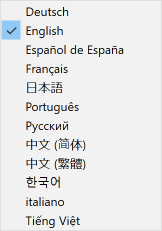
To change the language on the DTEN D7 system, please follow these steps:
1. Using your finger, touch and hold a blank section of the touchscreen on the D7 system until you see a gray square appear.
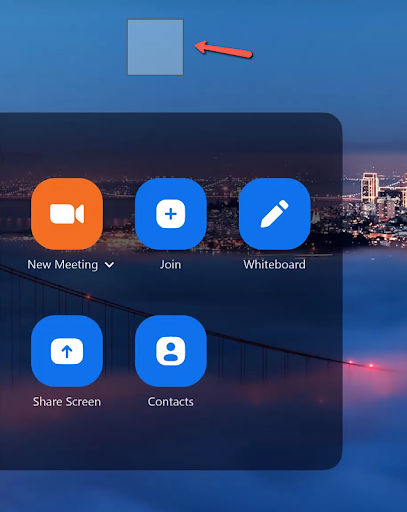
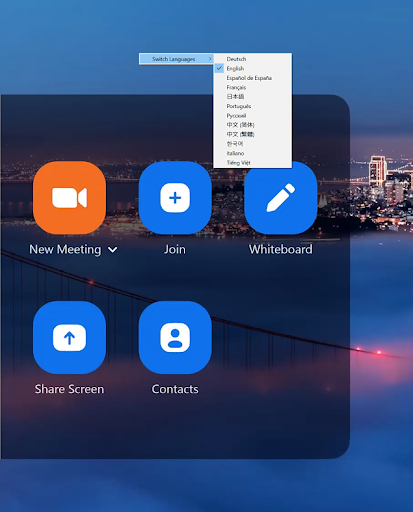
2. Then let go and the switch languages dialog window will appear. Tap the Switch Languages option and select the preferred language from the drop-down menu.
If you have additional questions or need to contact DTEN Support, please refer to this DTEN Knowledge Base article for more details: HERE.
Was this article helpful?
That’s Great!
Thank you for your feedback
Sorry! We couldn't be helpful
Thank you for your feedback
Feedback sent
We appreciate your effort and will try to fix the article