

Overview
This article will provide instructions on how to perform a factory reset in the DTEN D7X Android systems and the DTEN Bar.
Supporting Product
- D7X Android
- DTEN Bar
Prerequisite
- D7X Android all firmware versions
- DTEN Bar all firmware versions
Instructions
I want to factory reset my D7X-Android/Bar in Teams, what do I do?
Follow the steps below:
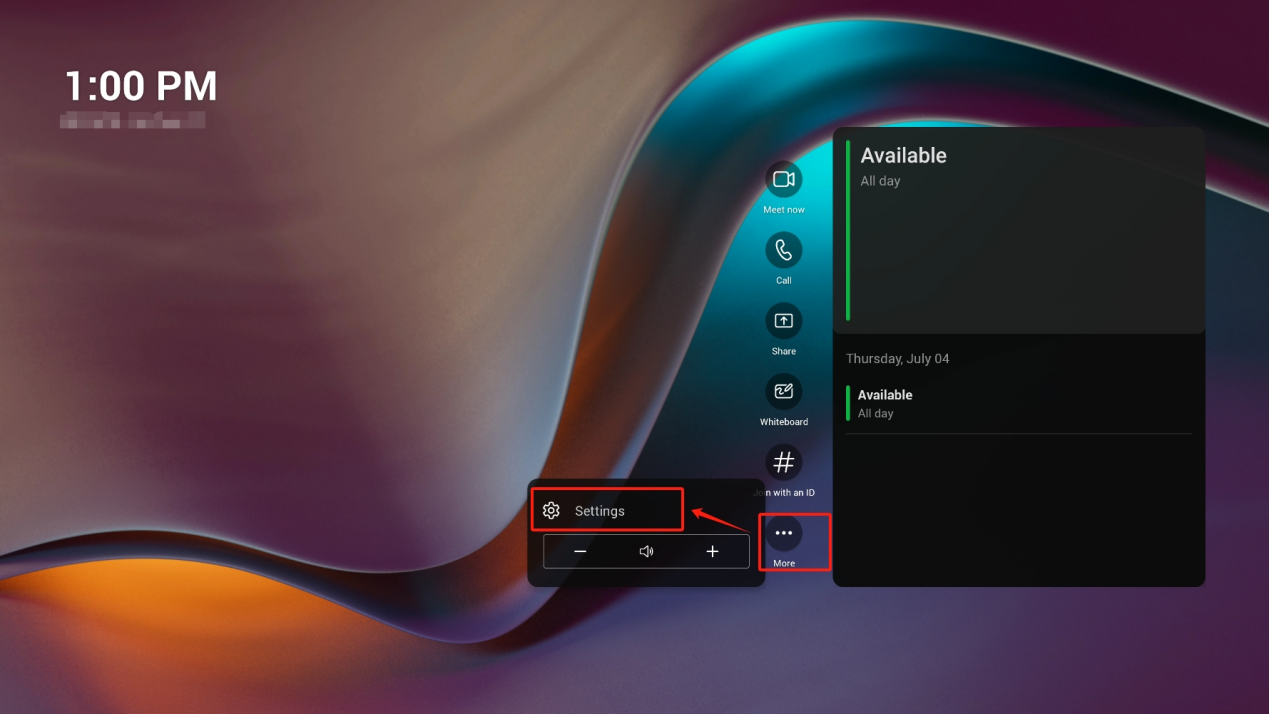
- In the Teams home page, click More→Settings
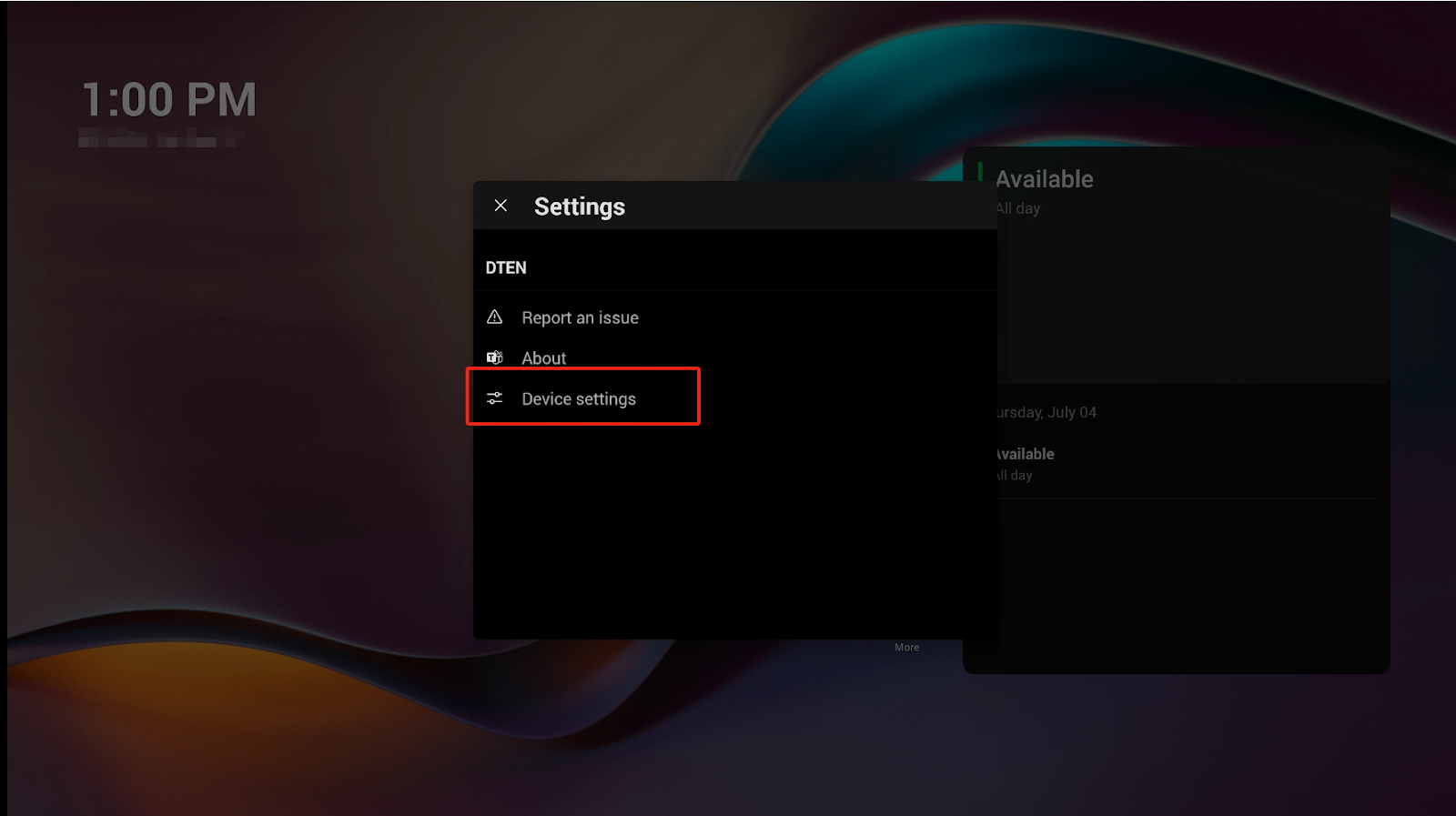
- Go to Device settings
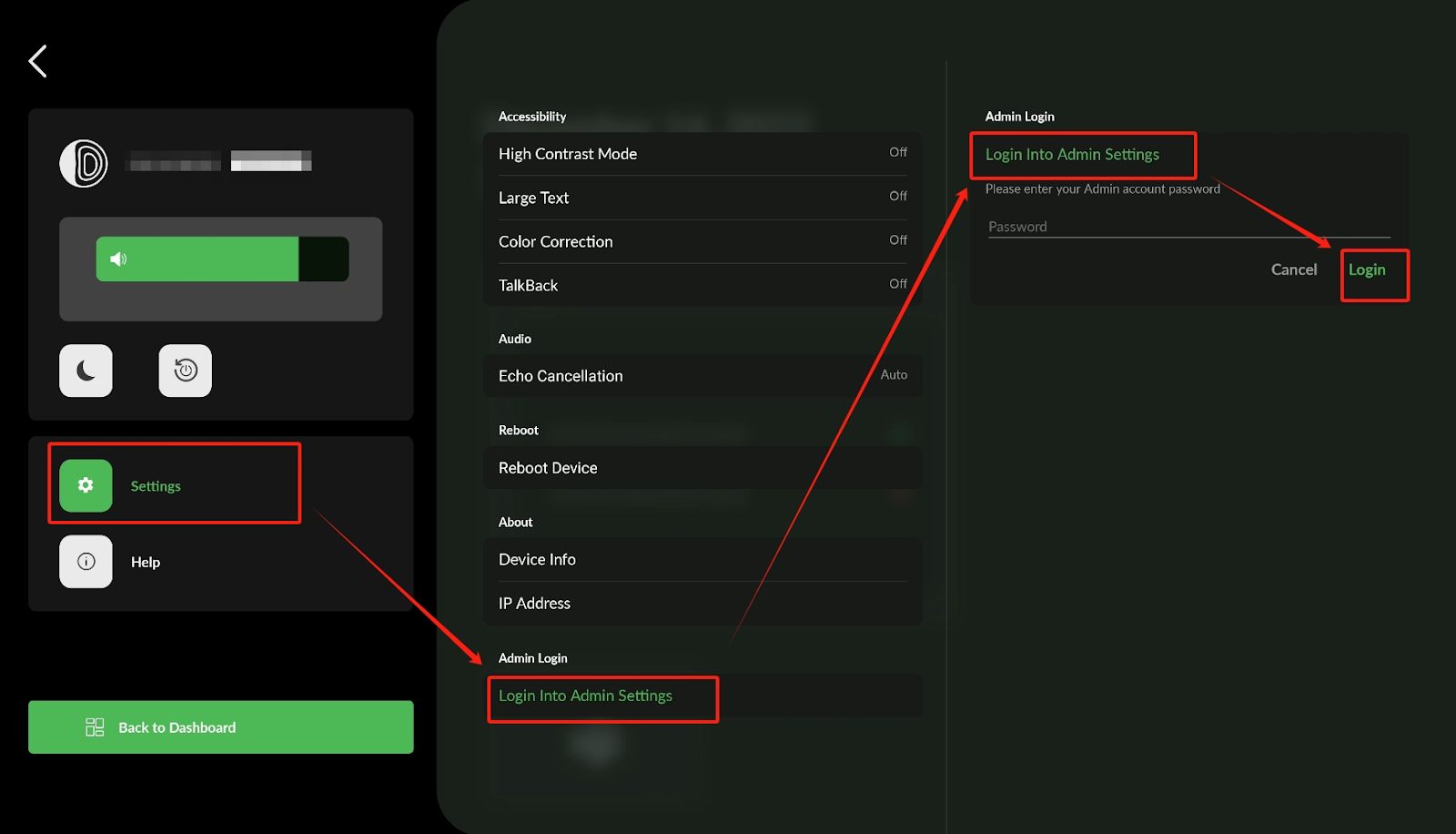
- Click Settings, navigate to Login to Admin settings, click Login directly, there is no password as default.
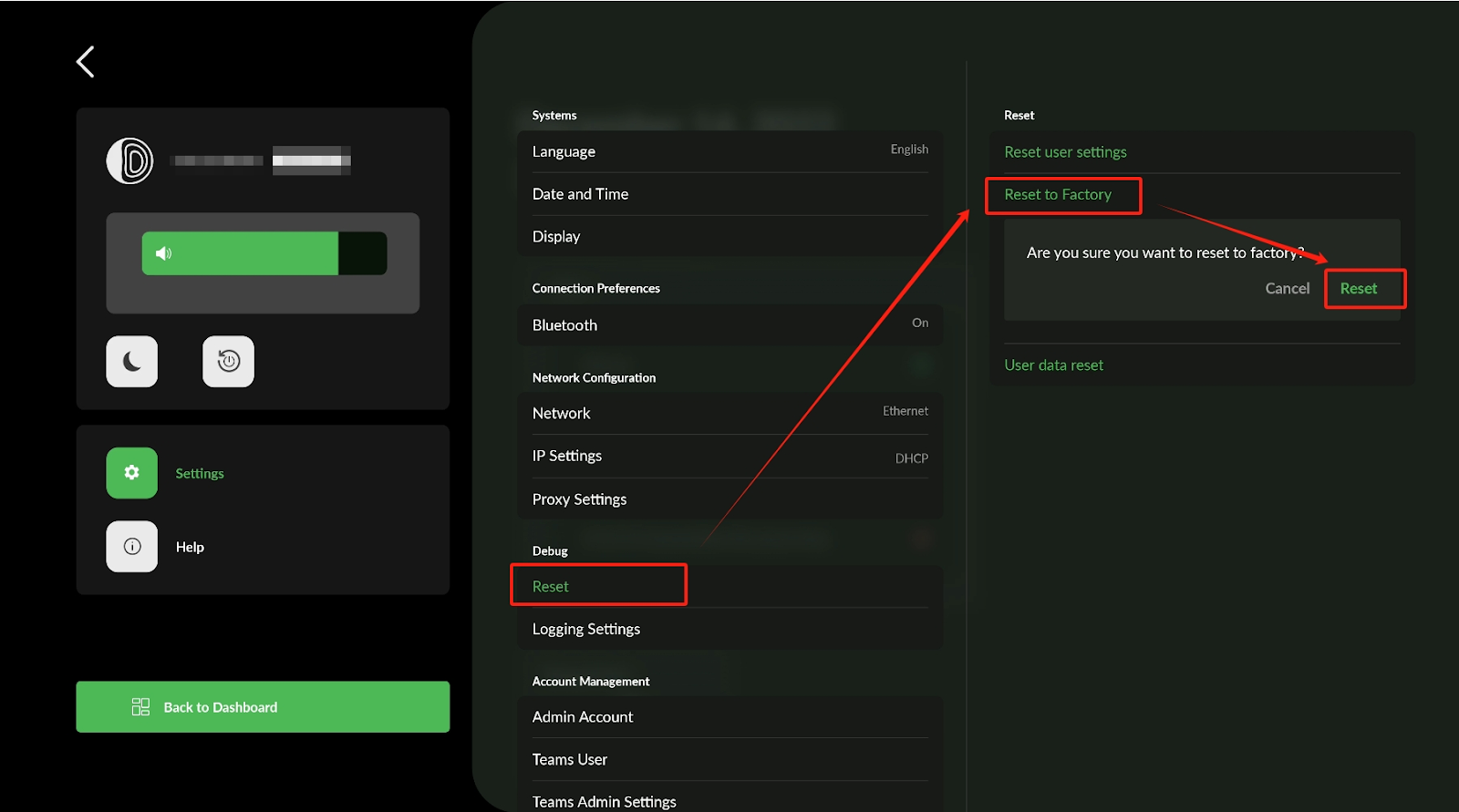
- In Admin settings, click Reset → Reset to Factory → Reset
If you have additional questions or need to contact DTEN Support, please refer to this DTEN Knowledge Base article for more details: HERE.
Was this article helpful?
That’s Great!
Thank you for your feedback
Sorry! We couldn't be helpful
Thank you for your feedback
Feedback sent
We appreciate your effort and will try to fix the article