

New time format - Support 24-hour time format
Overview
This article covers the new 24-Hour time format feature for D7X Windows systems available with the new firmware release v3.7.5.
Supporting Products
- DTEN D7X 55 & 75 Windows
- DTEN D7X Dual 75 Windows
- Minimum firmware v3.5.7
Design Use Case
In some countries, users are accustomed to using the 24-hour clock format rather than the default 12-hour format. Now, DTEN provides a place for users to switch, allowing them to adjust settings according to their preferences.
Steps
- Press the Menu button on the back of the device to access the DTEN Dashboard interface.
- Press the Settings button, then navigate to 24-hour format.
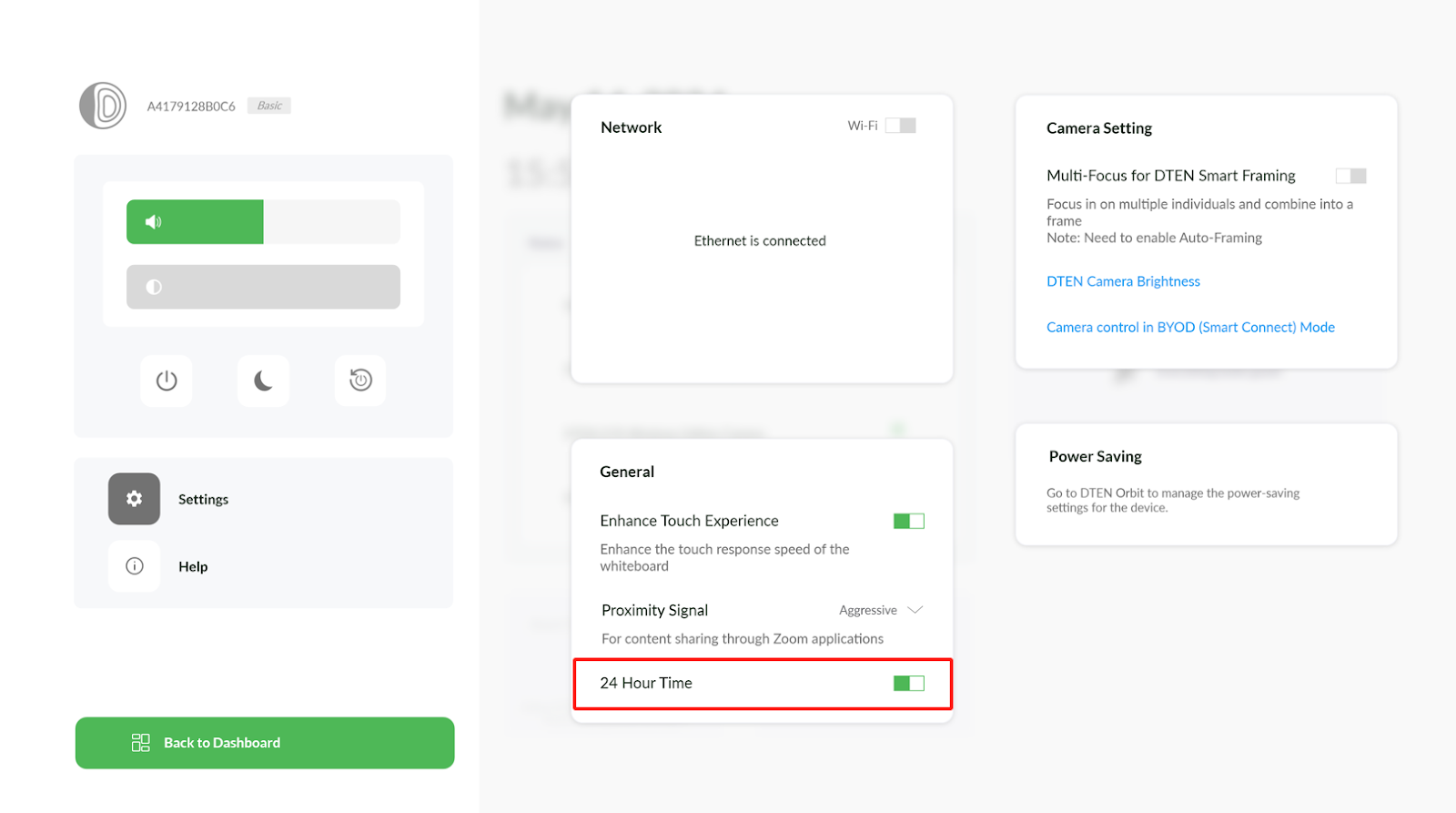
- Enable or disable according to your preference.ZR home page will display the time in a 24-hour format.
If you have additional questions or need to contact DTEN Support, please refer to this DTEN Knowledge Base article for more details: HERE.
Was this article helpful?
That’s Great!
Thank you for your feedback
Sorry! We couldn't be helpful
Thank you for your feedback
Feedback sent
We appreciate your effort and will try to fix the article