
- DTEN D7X should be powered on and connected to a stable and open or Zoom-whitelisted network without a firewall (ethernet preferred). For information, click here
- Available on DTEN Orbit portal, then on Zoom portal approximately 5-7 days later
- The update will not start if the device is engaged in a meeting or calendar event.
- The update takes approximately 30-45 minutes; DTEN D7 will automatically restart.
- Do not disconnect or power off during the update.
New
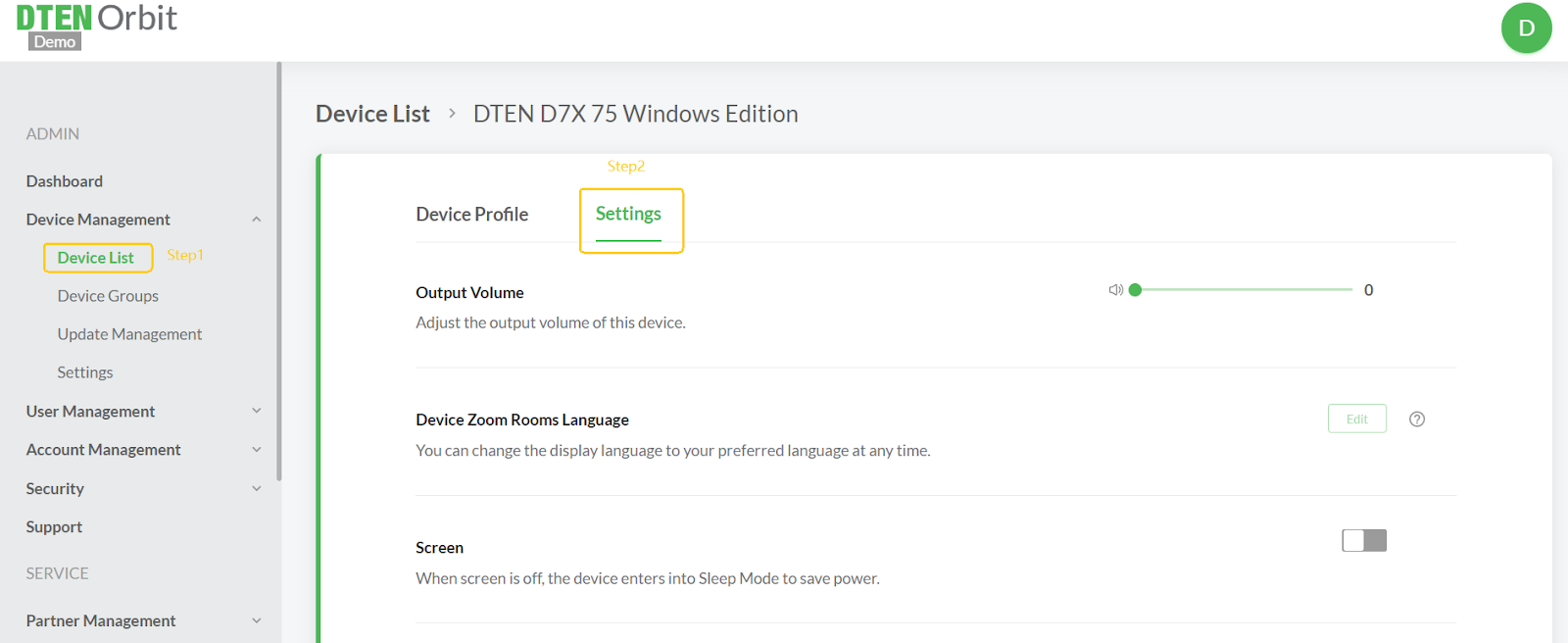
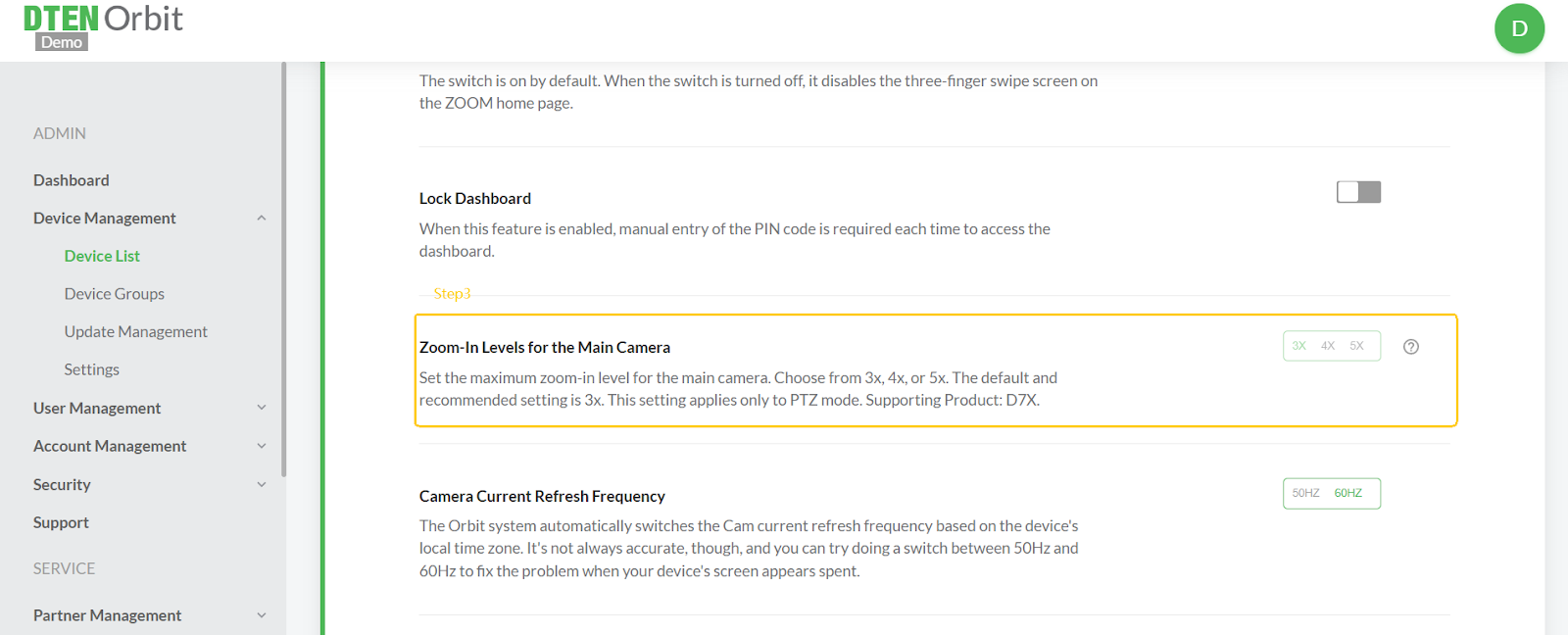
- Enhanced Zoom Capability--Users can now adjust the zoom range from 3x to 5x. The recommended default zoom range is 3x.
-
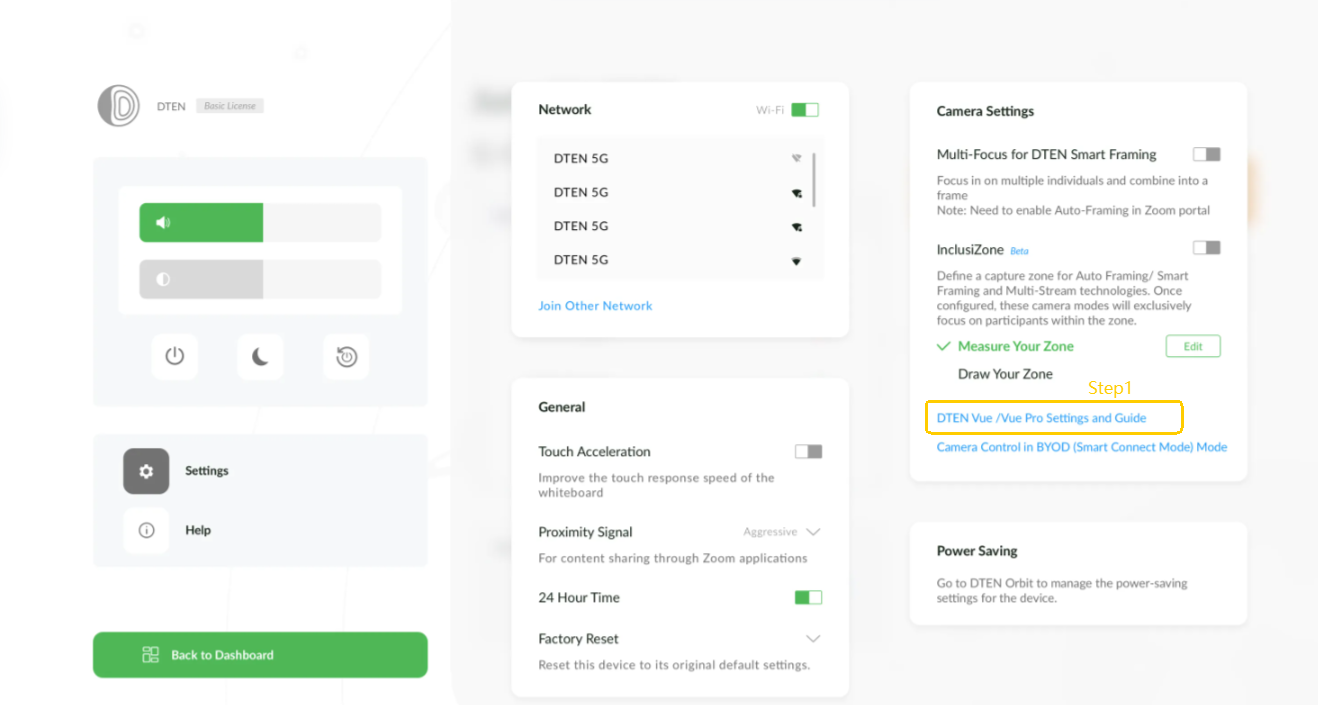
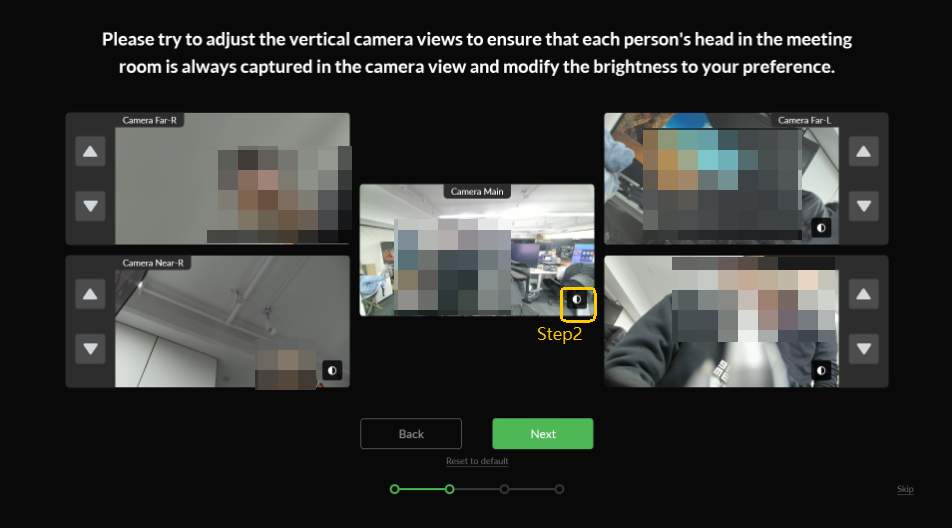
Adjustable Brightness on the Main Camera for D7X Dual--Users can now adjust the brightness of the primary camera on the dual-screen D7X device. This feature enables custom camera exposure settings based on the environment, improving overall imaging quality and performance.
Modified
- The screen will automatically turn off from 10:00 PM to 6:00 AM to help extend the lifespan of the device.
- Supporting third-party microphone on D7X Dual Screen.
Resolved
- Multi-Camera Screen Freeze Issue--Resolved an issue where, during a meeting, enabling Multi-Camera followed by Multi-Stream caused the video feed to freeze on the Multi-Camera screen when a participant moved.
- Delayed Startup After Power-Saving Mode--Fixed a delay in startup occurring when the device exited power-saving mode during non-working hours the following morning.
Known Issue
-
Screen Not Waking Automatically During Office Hours in Sleep Mode
In Sleep Mode, the device may not automatically wake and light up the screen during scheduled office hours. Additionally, it may not respond to touch inputs to wake the screen.- Workaround: Power cycle the device to restore functionality.
Zoom Rooms Version: 6.2.5
Was this article helpful?
That’s Great!
Thank you for your feedback
Sorry! We couldn't be helpful
Thank you for your feedback
Feedback sent
We appreciate your effort and will try to fix the article