
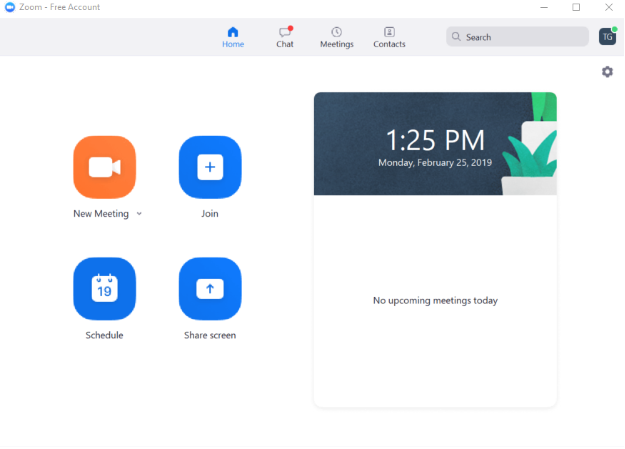
1. Please sign in to your zoom account on your laptop.
2. Next, start a new meeting.
3. In the host controls, click the arrow next to Share Screen and click Advanced Sharing Options.

4.Under Who can share? choose "Only Host".
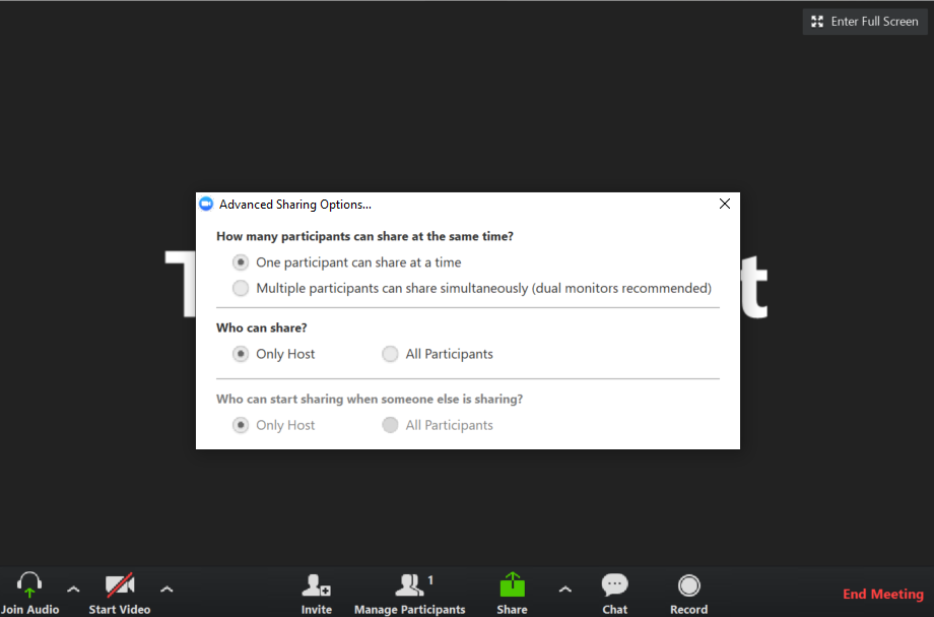
5. Finally, close the window.
For additional Zoom Room Support please see Zoom Help Center at https://support.zoom.us/hc/en-us.
If you have additional questions or need to contact DTEN Support, please refer to this DTEN Knowledge Base article for more details: HERE.
Was this article helpful?
That’s Great!
Thank you for your feedback
Sorry! We couldn't be helpful
Thank you for your feedback
Feedback sent
We appreciate your effort and will try to fix the article