
OVERVIEW
Try these steps to find the DTEN firmware version and DTEN ID number on the D7 unit.
This article covers:
- DTEN Firmware Version
- DTEN ID Number
Follow These Steps to Check the Firmware Version and ID Number on the DTEN D7 Unit
- DTEN Firmware
-
Please check the DTEN D7 firmware from the Zoom Device Management (ZDM) portal.

- For D7 systems running firmware versions 1.3.5 and below, press the Menu button on the D7 (the second button from the bottom located in the lower back right of the unit) once for the DTEN firmware version.
- DTEN ID Number
-
Press the Menu button (the second button from the bottom located in the lower back right of the unit) 5x times for the DTEN ID number.
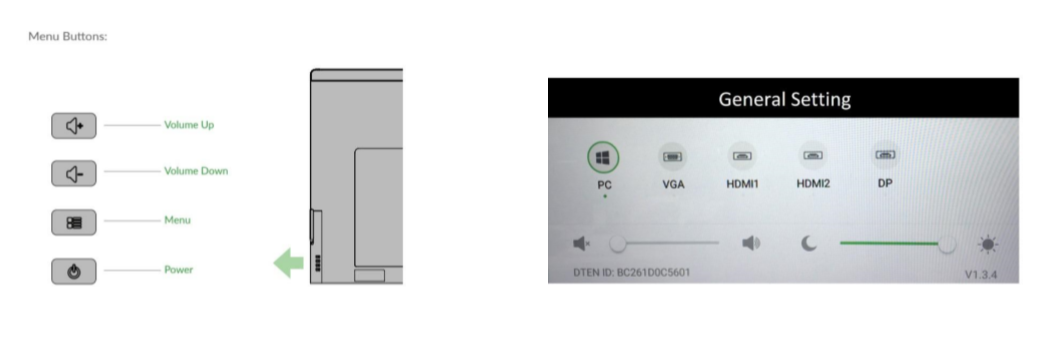
If you have additional questions or need to contact DTEN Support, please refer to this DTEN Knowledge Base article for more details: HERE.
Was this article helpful?
That’s Great!
Thank you for your feedback
Sorry! We couldn't be helpful
Thank you for your feedback
Feedback sent
We appreciate your effort and will try to fix the article