
OVERVIEW
Use these steps to determine if your DTEN D7 device has been enrolled in the Zoom Device Management (ZDM).
This article covers:
- Determine if DTEN D7 device has been enrolled in the ZDM.
Determine if DTEN D7 device has been enrolled in the ZDM
How do I know if my D7 device has been enrolled in the ZDM?
- Sign in to the Zoom Web Portal
- Click Room Management > Zoom Rooms > Devices
If you can see the DTEN system update column, called Firmware Version, it is already enrolled:
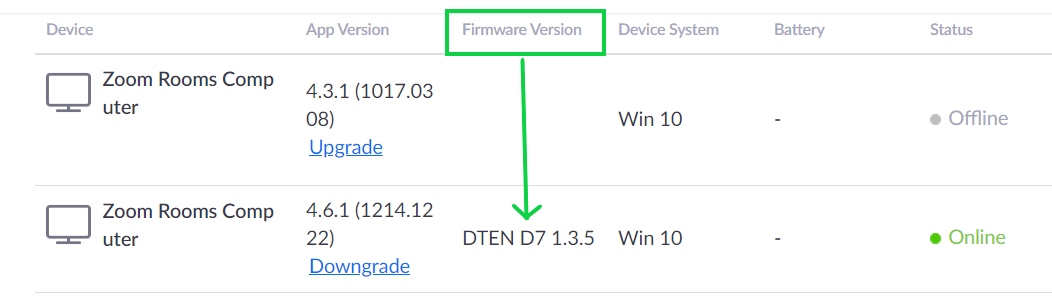
If you do not see the device at all, please refer to this FAQ on how to get started.
If you have additional questions or need to contact DTEN Support, please refer to this DTEN Knowledge Base article for more details: HERE.
Was this article helpful?
That’s Great!
Thank you for your feedback
Sorry! We couldn't be helpful
Thank you for your feedback
Feedback sent
We appreciate your effort and will try to fix the article