
OVERVIEW
This article describes how a Companion Zoom Room (portable) can automatically return to the Zoom Room screen after a meeting ends. This behavior is controlled by a setting on Zoom Device Management (ZDM).
Steps
- Sign in to the Zoom web portal as a role with access to Zoom Rooms.
- Click Room Management, then click Zoom Rooms.
- Click Edit next to the room you want to use as a portable companion.
- Click Devices, then click the toggle next to Allow a portable Companion Zoom Room to connect to the Zoom Room and configure the connection options.
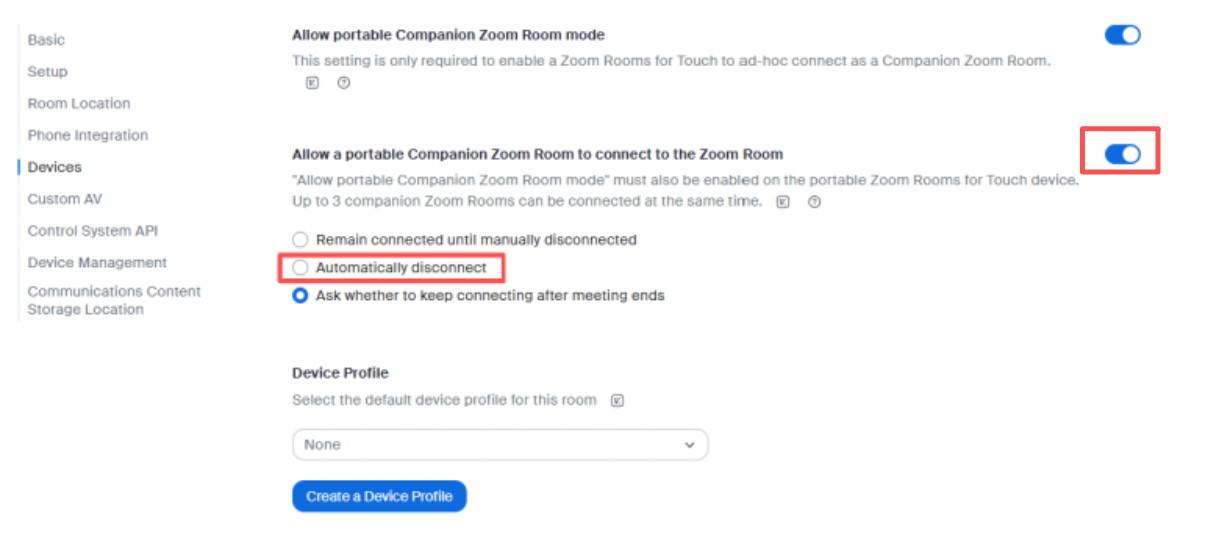
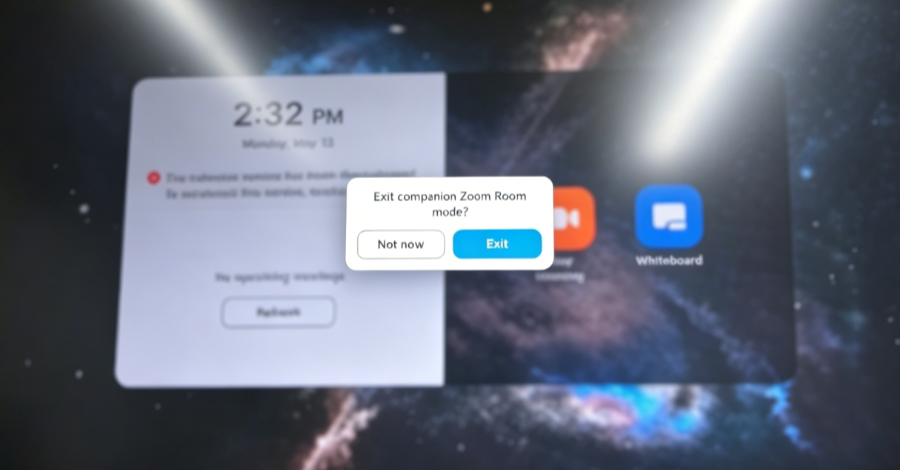
When selects “Ask whether to keep connecting after meeting ends,” it will be shown a prompt like below.
If you'd like to know more about Companion Zoom Room, please refer to Using a companion Zoom Room
Getting Help
If you have additional questions, please contact DTEN Support at 1 (866) 936-3836 or click here.
Was this article helpful?
That’s Great!
Thank you for your feedback
Sorry! We couldn't be helpful
Thank you for your feedback
Feedback sent
We appreciate your effort and will try to fix the article