
OVERVIEW
The instructions below may help with the new Zoom Rooms Presets that come with the DTEN firmware v1.5.0 release.
Zoom Rooms Presets
Note: Setting Presets may require the Zoom Room Passcode:
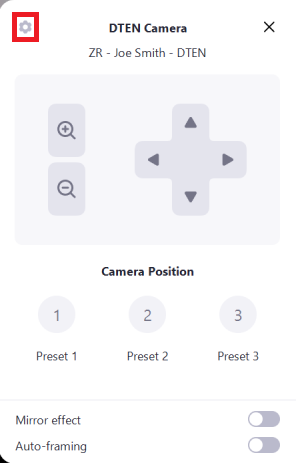
1. To set the system presets press the Gear in the upper left of the camera controls. This may ask for the Zoom Room passcode set on the device in the Zoom admin portal.
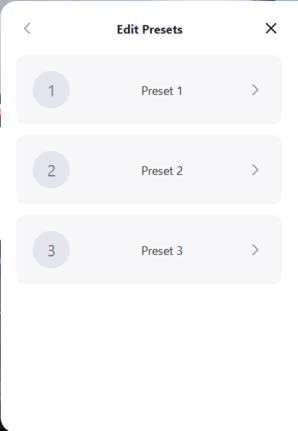
2. Next, select the preset you would like to adjust.
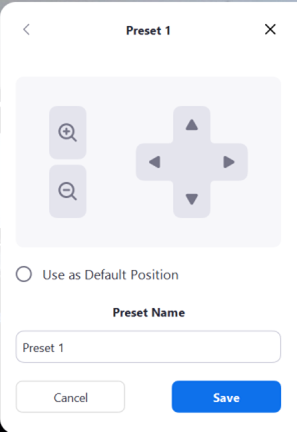
3. From there you can use the camera controls to change and set the view of the camera on the DTEN. Select the default position view when the system starts up. You will also have the ability to edit the name of the preset (i.e. Back of Table, Whiteboard, etc).
This feature has the following hardware/ software version dependencies:
| Dependencies | Requirement |
| DTEN Software Dependencies | DTEN 1.5.0 |
| DTEN Hardware Dependencies | NO |
| Zoom Room Dependencies | NO |
If you have additional questions or need to contact DTEN Support, please refer to this DTEN Knowledge Base article for more details: HERE.
Was this article helpful?
That’s Great!
Thank you for your feedback
Sorry! We couldn't be helpful
Thank you for your feedback
Feedback sent
We appreciate your effort and will try to fix the article