
This document is applicable for the following use cases:
- How end-users and AV integrators work together to deploy DTEN ME
- How to deploy DTEN ME at the mass level
Review the sections below to activate and to install DTEN ME:
Before the unboxing
Before unboxing the DTEN ME, it’s recommended that the admin or end-users generate “activation codes” ahead of time. Those activation codes will be used for activating the warranty when setting up the DTEN ME device.
Please follow the steps below:
- Go to http://www.orbit.dten.com (click here to learn What is DTEN Orbit?)
- Create a new account and then log into the Orbit portal
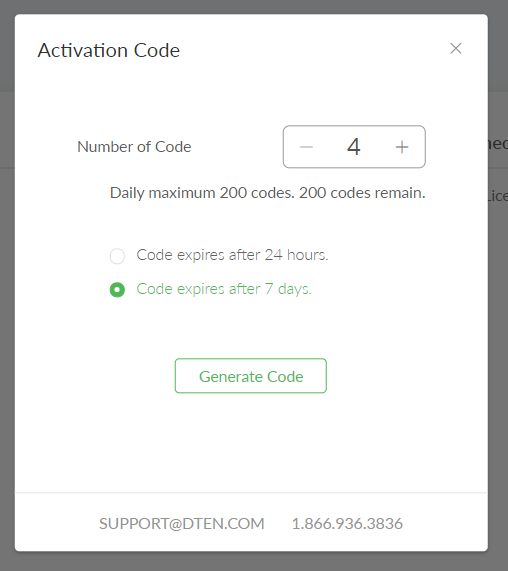
- On the top right, click “Generate Activation Code” and it will open a pop-up window
- Next, do the following:
- Enter the number of DTEN ME devices that you plan to activate or deploy
- Choose “Code Expires after 7 days”
- Click “Generate Codes”
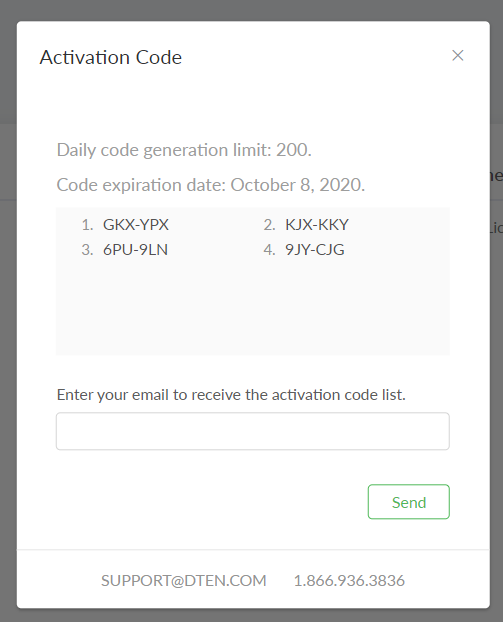
- You will see the codes in the pop-up window. We recommend sending it to you for record-keeping purposes.
During the Installation:
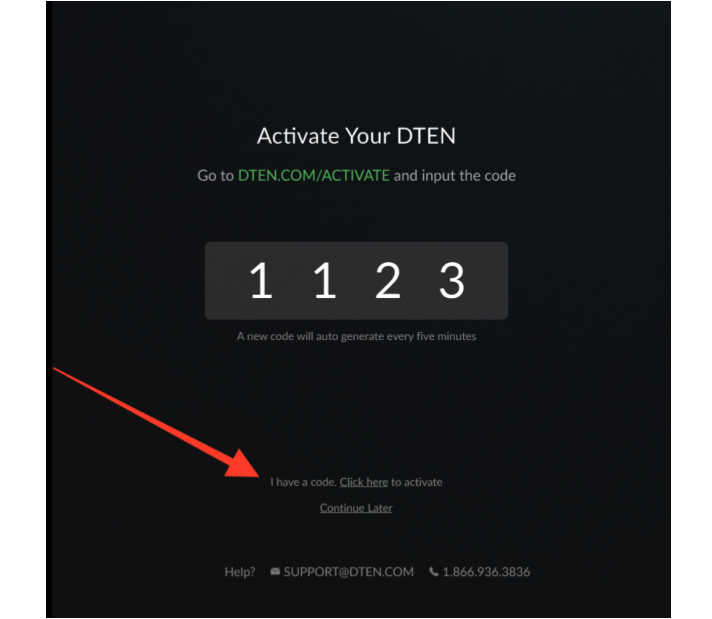
- Follow the instructions on the screen.
- During the installation, at the bottom of the page, click “I have a code”
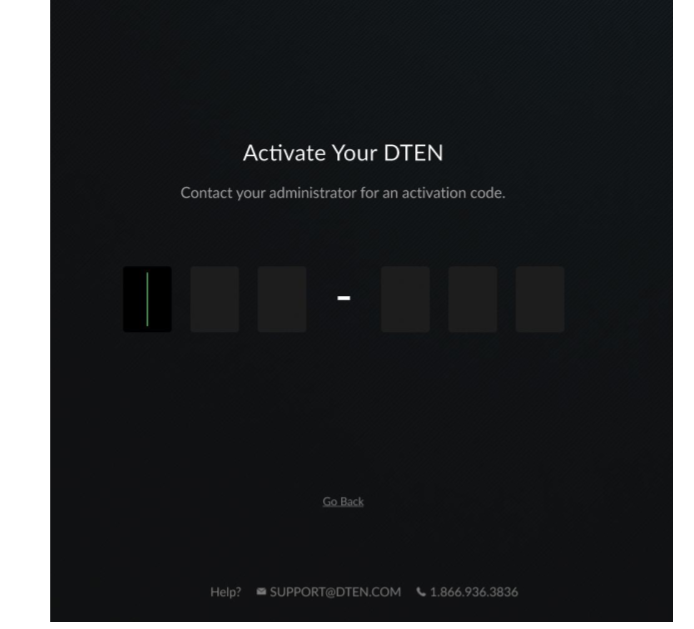
- Enter 6 digits code that was given to you by your IT administrator
- If needed, here’s the quick product guide.
After the Installation:
- Here are some helpful Tips and FAQs about DTEN ME.
If you have additional questions or need to contact DTEN Support, please refer to this DTEN Knowledge Base article for more details: HERE.
Was this article helpful?
That’s Great!
Thank you for your feedback
Sorry! We couldn't be helpful
Thank you for your feedback
Feedback sent
We appreciate your effort and will try to fix the article